


Act Now! Activate the E-Notice service!
Customers holding individual insurance policy(ies) can activate E-Notice service by "Change of Correspondence Preferences" service. If you have not yet registered for the OneService APP account, please scan the QR code to download and register for the OneService APP account.
 中國人壽(海外)OneService APP


 3-Step Guide to Changing Correspondence Preferences
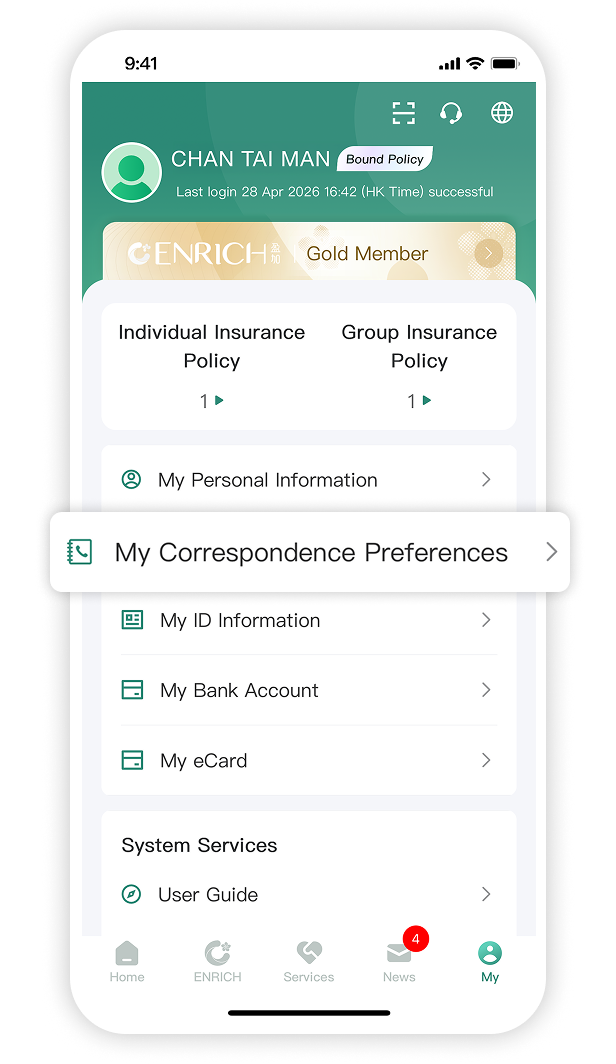
Step 1
Log in to the OneService APP "My ► My Correspondence Preferences".
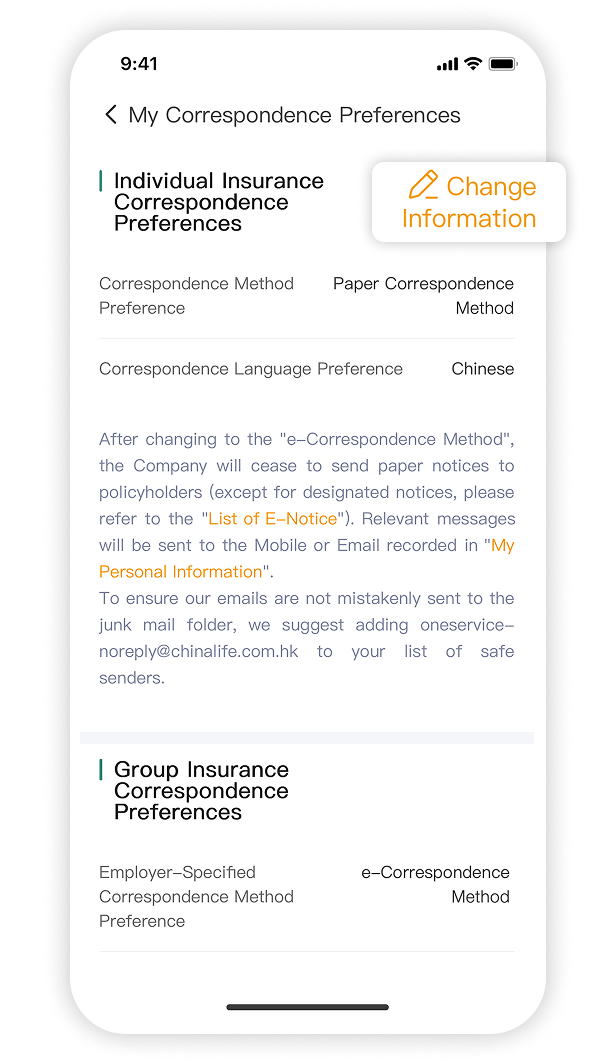
Step 2
Click "Change Information" to the "Change of Correspondence Preferences" page.
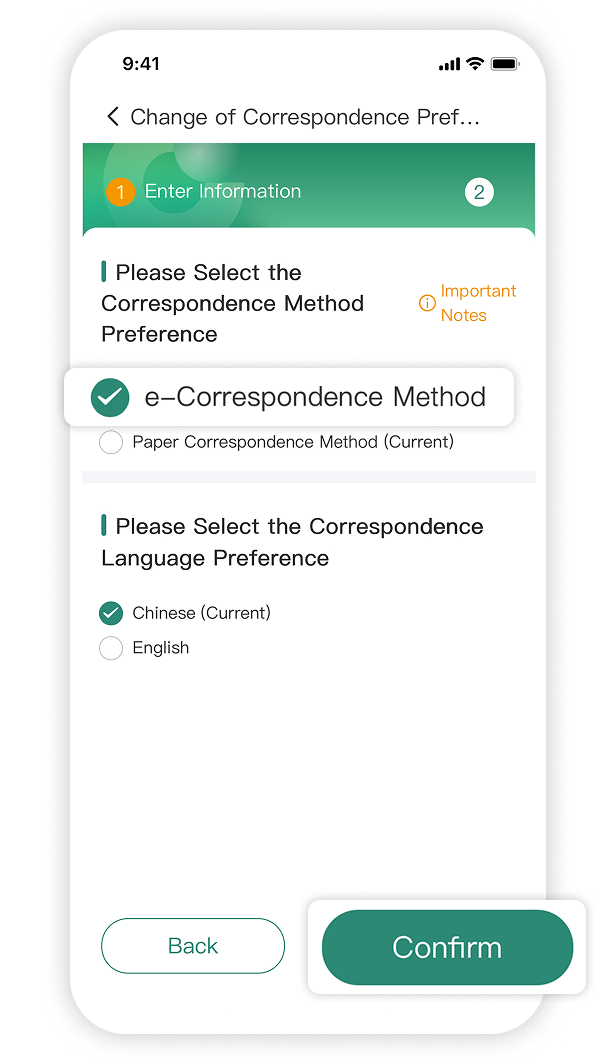
Step 3
Read and agree to the Important Notes, select "e-Correspondence Method" under "Please Select the Correspondence Method Preference". Then click "Confirm" to finish the application.
Step 1
Log in to the OneService APP "My ► My Correspondence Preferences".
Step 2
Click "Change Information" to the "Change of Correspondence Preferences" page.
Step 3
Read and agree to the Important Notes, select "e-Correspondence Method" under "Please Select the Correspondence Method Preference". Then click "Confirm" to finish the application.

 List of E-Notice
Important Notes for E-Notice Service
- We are currently providing the following E-Notice, which you can view and dowload directly within OneService APP.
- For notices not listed below, paper copies will be mailed to policyholders.
- Group claim electronic notifications are applicable to employee only.
- All notices regarding death claim will be sent by postal mail exclusively to the designated beneficiary.
- The electronic notice is a digital version of policy-related notifications, stored in PDF format in the OneService APP, and its content is identical to the paper notice.
If there is an asterisk (*), paper notification will be sent as well.